Automatic transcription
Convert every call into text to search, consult, and review easily.
Answer, record, and manage your calls in one place. With AI that automatically transcribes, summarizes, and analyzes every conversation.
“...we migrated telephony to the cloud and freed up internal resources.”
Excellent HD Audio (G.722)
Nebula Voice centralizes your calls in the cloud and turns every authorized conversation into useful information to understand, improve, and follow up on your operation.
Start with the extensions you need today and add more as your operation changes.
Automatically transcribe, summarize, and analyze your calls to get more context from each interaction. Learn about Nebula AI →
Record your conversations and consult them when you need to follow up, validate a process, or preserve evidence.
Make domestic and international calls according to the needs of your operation.
Activate numbers from different countries to make it easier for your customers to contact you.
Make and receive calls from Nebula Hub, without relying on a physical phone.
Integrate Voice with your CRM and other applications using APIs and integrations.
Use an IP phone, computer, or cell phone depending on how your team operates.
We help you configure, operate, and evolve your service, while you maintain control of your platform.
Nebula AI processes your authorized calls so you can understand what's important without having to listen to them in full.
“Hello, I'm calling to ask if I can migrate our 10 existing extensions and set up a custom automated menu.”
“Hello! Absolutely, with Nebula Voice you can port your numbers and build an interactive IVR in minutes.”
Convert every call into text to search, consult, and review easily.
Identify the contact reason, agreements, and next steps without listening to the call again.
Detect sentiment changes and identify conversations that may require review or follow-up.
These features consume Nebula AI Tokens according to your plan conditions. Learn how AI works in Nebula →
Everything you need to operate your business telephony
Nebula Hub is the Voice module to make and receive calls from the browser, with the tools you need to manage each conversation from one place. It is included in all Nebula Voice plans.
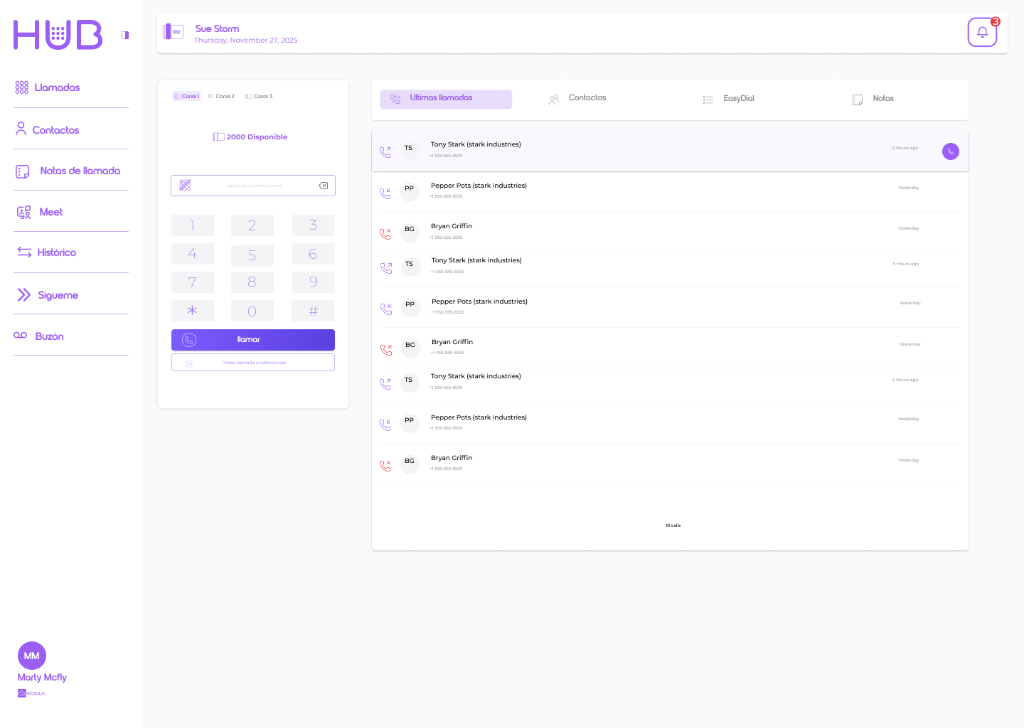
Make and receive calls without installing additional applications.
Load a contact list—for example from Excel—with their info and call directly from there, without copying and pasting numbers.
Query your contacts directly from Hub through integration with Google Contacts. Requires a Google account.
Log information during each conversation and consult it when you communicate with that contact again.
Start video meetings directly from the platform.
Define how and where you want to receive your calls when you are not available at your main extension.
Receive and consult messages when a call cannot be answered.
Nebula Hub is included in all Nebula Voice plans.
Centralize your telephony, make the most of every conversation, and operate from wherever you need.
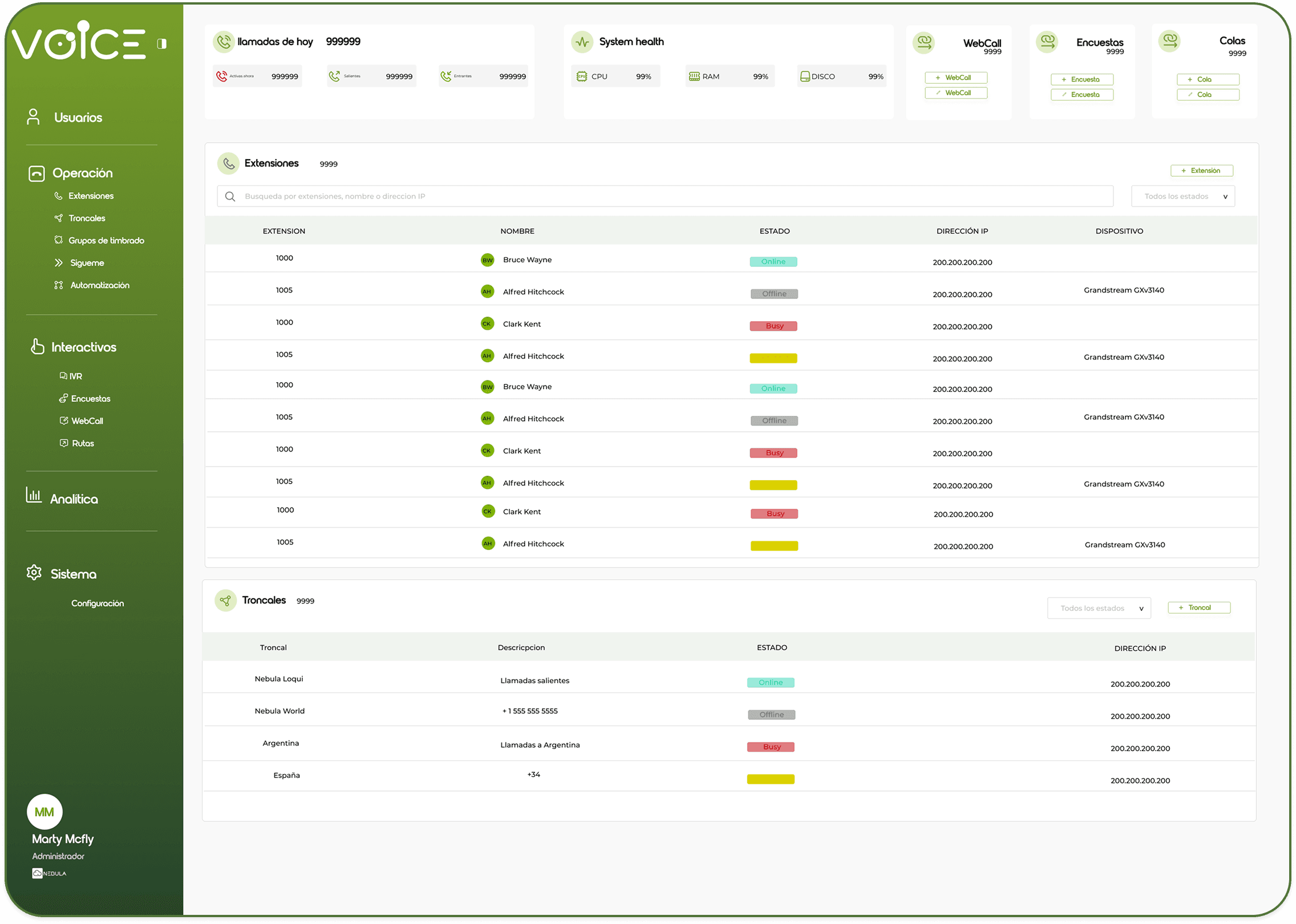
Manage extensions, hours, IVR, permissions, and recordings from one single place.
Access history, recordings, transcripts, summaries, and sentiment to follow up better.
Integrate your telephony with CRM, apps, and internal processes using APIs and integrations.
Use your browser, IP phone, computer, or cell phone and maintain the same control over your operation.
How Voice converts each conversation into information you can consult and leverage.
From Hub, IP phone, or compatible device.
Ready to consult when you need it.
Transcribe, summarize, and analyze automatically.
Access audio, transcript, summary, and insights for follow-up.
Cloud telephony, useful information, and support in a platform that grows with you.
Manage calls, extensions, schedules, and rules from a single place.
Access transcripts, summaries, and sentiment analysis to better understand each conversation.
Use recordings, monitoring, and reports to review, measure, and track your calls.
Answer from the browser, IP phone, computer, or any compatible device.
Expand extensions, numbers, and capabilities as your operation evolves.
Integrate your CRM and other apps through available APIs and integrations.
Cloud business telephony to make and receive calls, manage extensions, record conversations, and consult operational information from a single platform.
Yes. We review porting and available alternatives with you to maintain your operational continuity.
Not necessarily. You can answer calls from Nebula Hub in the browser, IP phones, or compatible devices.
Yes. Extensions and call handling rules are managed from the cloud and can be used from different locations.
Yes. Voice allows you to record conversations and access them later for follow-up, control, and traceability.
Yes. Voice has APIs and integrations to connect with other applications depending on the capabilities of each system.
It can transcribe, summarize, and analyze the sentiment of conversations to facilitate access and follow-up.
AI features consume Nebula AI Tokens according to the terms of your plan. Phone minutes are managed separately.
Yes. You can expand Voice capacity as your operational needs change.
Yes. We analyze your operation, configure the solution, and train your team so that they can manage it autonomously afterwards.
Tell us how your team operates today and we'll help you find the right setup — no matter your company's size.